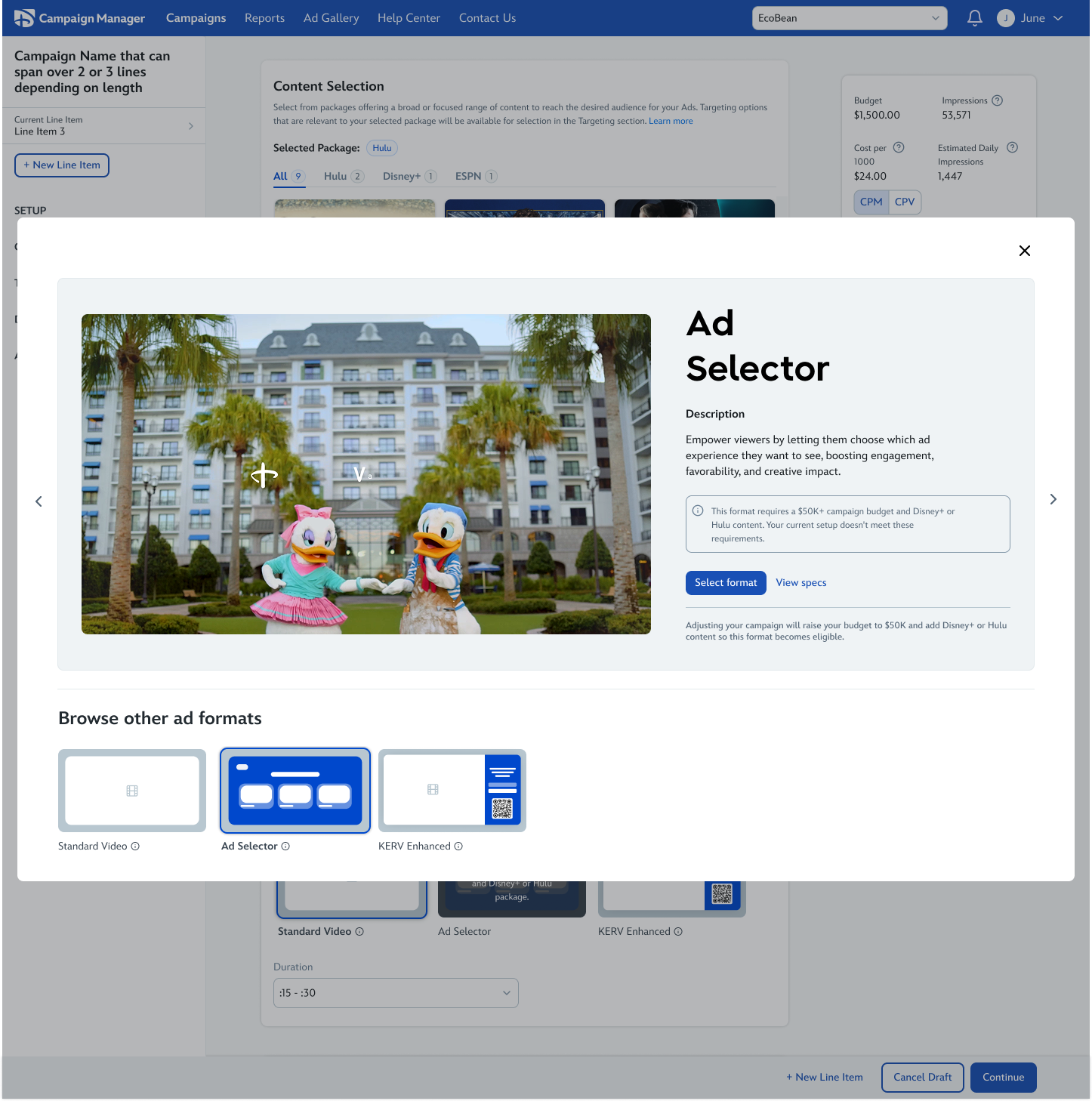
Context
Disney Campaign Manager (DCM) is Disney’s self-serve advertising platform for streaming campaigns. Advertisers could launch standard video ads, but premium formats required managed-service workflows outside the platform.
The Walt Disney Company · Advertising · Disney Campaign Manager
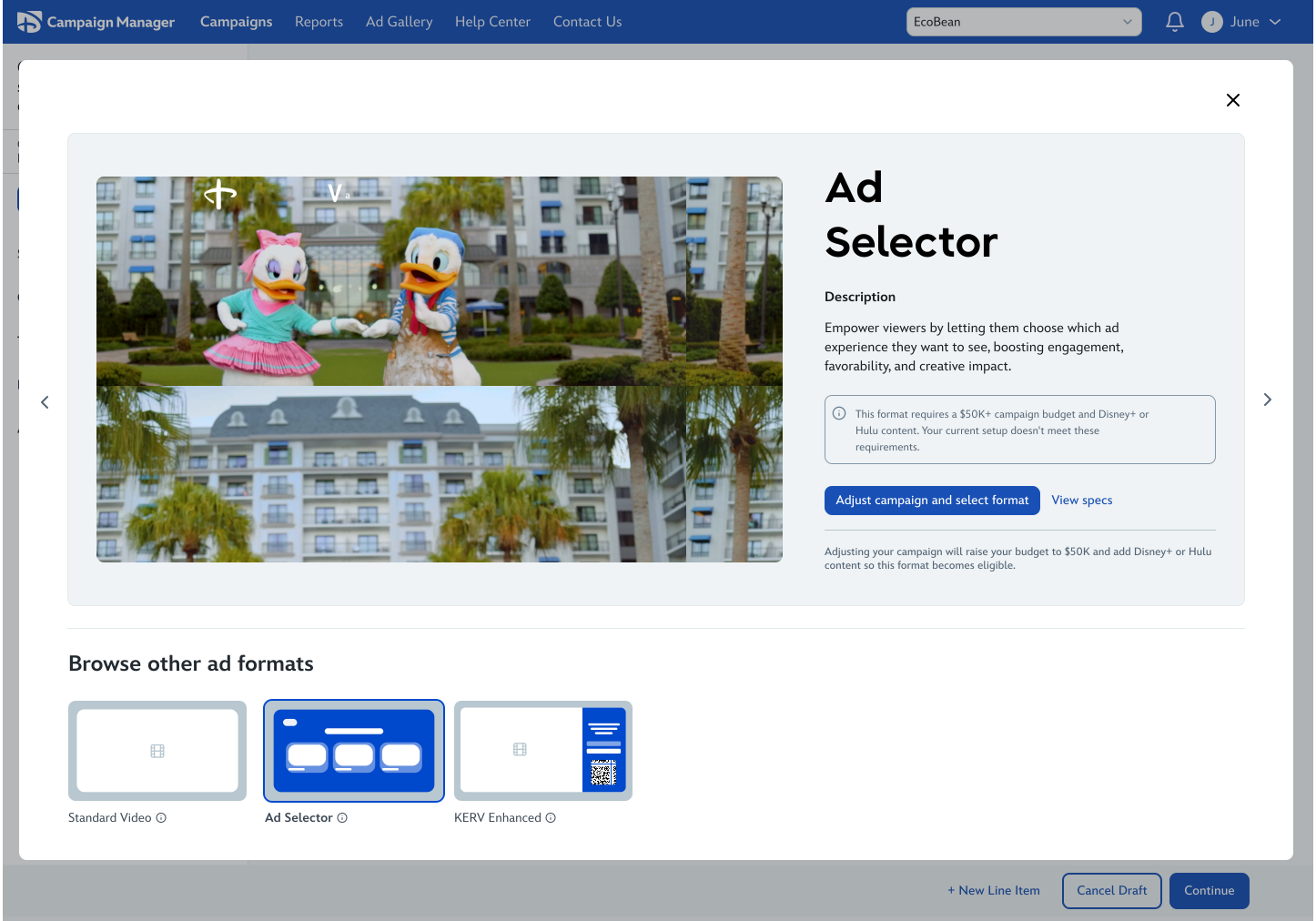 Explore details
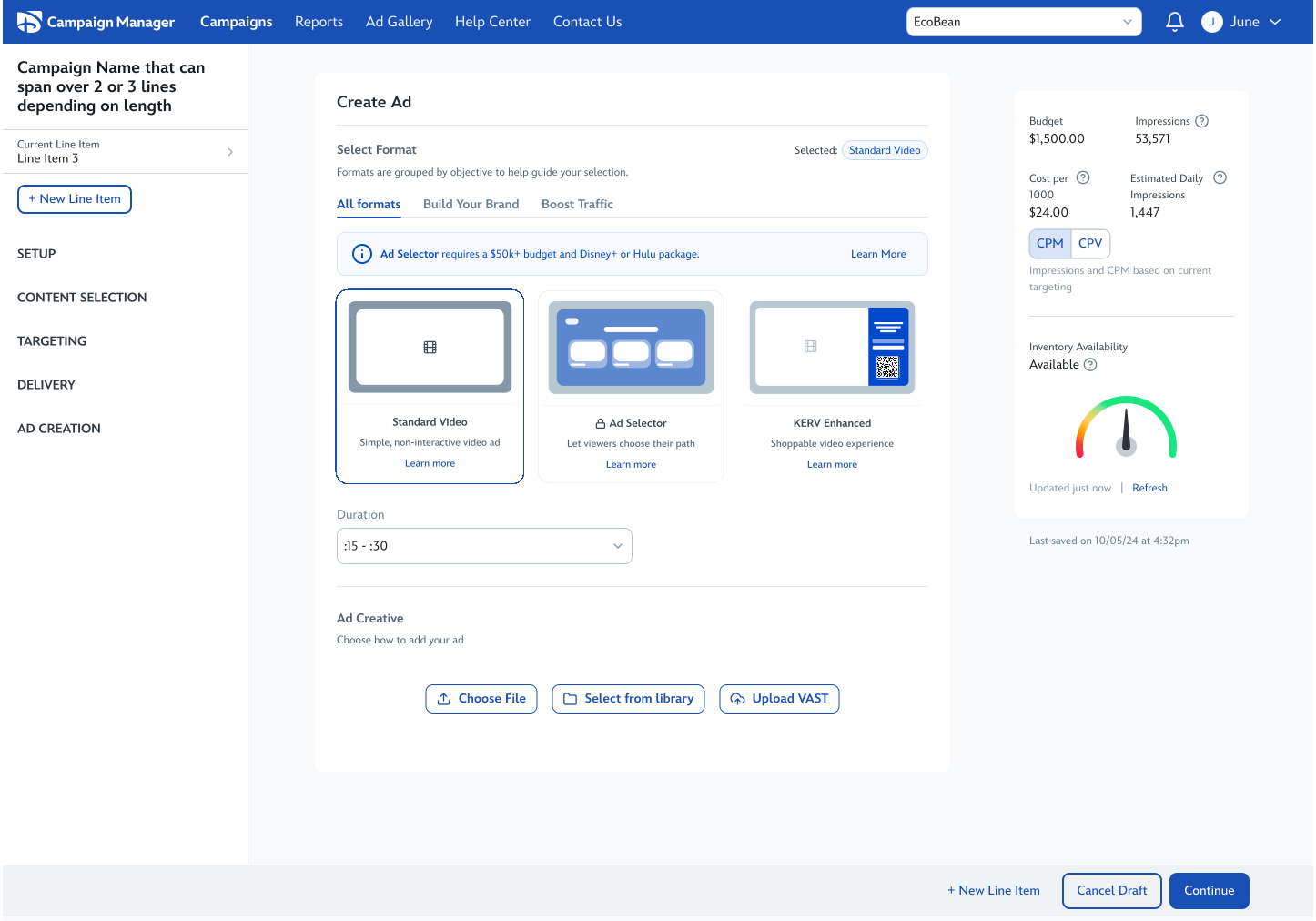 Browse formats
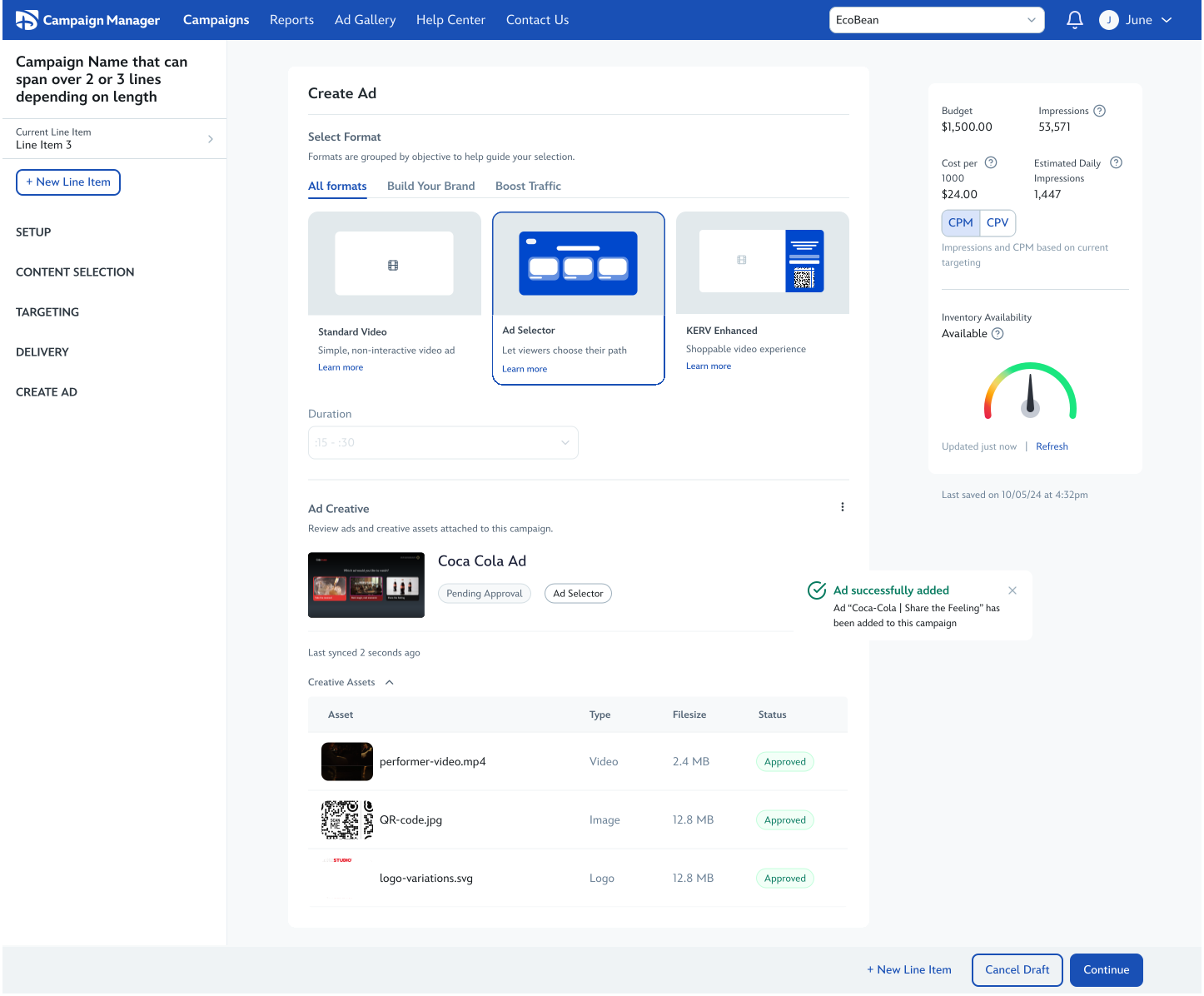 Attach to campaign
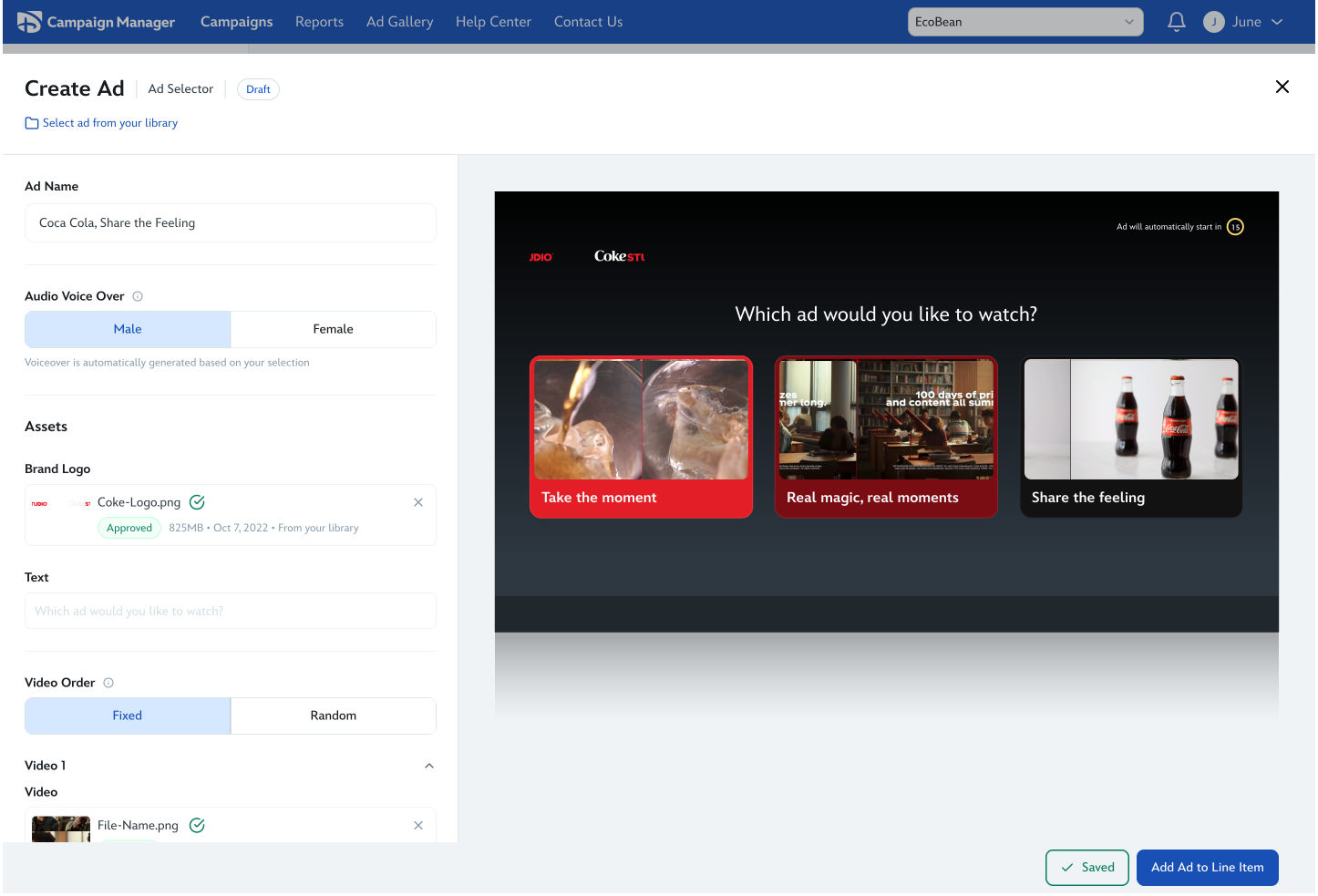 Preview & assets
Enable advertisers to independently create premium ad formats within DCM by integrating advanced ad creation capabilities into a scalable self-serve workflow.
Disney Campaign Manager (DCM) is Disney’s self-serve advertising platform for streaming campaigns. Advertisers could launch standard video ads, but premium formats required managed-service workflows outside the platform.
Premium ad formats drove stronger engagement but were tied to high-spend commitments and manual workflows, making them inaccessible to most advertisers. Even when available, launching a campaign took 11-14 days.
We saw an opportunity to make premium ad creation self-serve by integrating Disney Experience Composer (DXC), Disney’s internal creation tool, directly into the advertiser workflow.
Understanding how advertisers currently access and create premium formats, and where breakdowns occur.
Reframing ad creation as part of campaign setup rather than a separate experience.
Designing integrated flows for format selection, asset upload, preview, and review.
Aligning with cross-functional partners to define a scalable implementation approach.
Premium ad creation operated outside of DCM’s core campaign flow. Advertisers could configure campaigns within DCM, but selecting a premium format triggered a handoff to internal Sales and Creative Ops teams who handled creative production separately.
Once premium ad creation began, advertisers effectively exited the self-serve experience. Creative setup, revisions, approvals, and asset management were handled manually across multiple internal teams before creatives could be attached back into DCM for launch.
As a result, launching premium campaigns often took 11–14 days and depended heavily on operational support.
Solving this problem required more than adding premium formats into DCM. The larger challenge was designing a creation model that could support self-serve advertisers, reduce operational dependency, and scale as ad formats evolved over time.
Before exploring solutions, I defined a set of principles to guide how self-serve ad creation should function within DCM.
Premium ad creation could no longer live outside the self-serve experience. Advertisers needed to discover formats, configure creatives, and review ads within the same campaign workflow instead of relying on external Creative Ops handoffs.
I designed ad creation as a shared module that could be reused across DCM. Whether users entered from campaign setup, ad management, or future creation surfaces, the system could support a consistent creation experience without duplicating workflows.
Advanced formats introduced more complexity, but users did not need the same level of detail upfront. The experience used previews, eligibility messaging, and progressive disclosure to guide decisions instead of blocking users behind rigid restrictions.
The system needed to support future format expansion without requiring structural redesigns. The modular creation model created a foundation for new formats, reusable assets, and future AI-assisted workflows to plug into the same architecture over time.
Before designing the final experience, I explored multiple workflow models for how premium ad creation could exist inside DCM. The challenge wasn’t just adding new formats into the platform; it was determining how advertisers should move through ad creation while balancing workflow continuity, scalability, discoverability, and increasing format complexity over time.
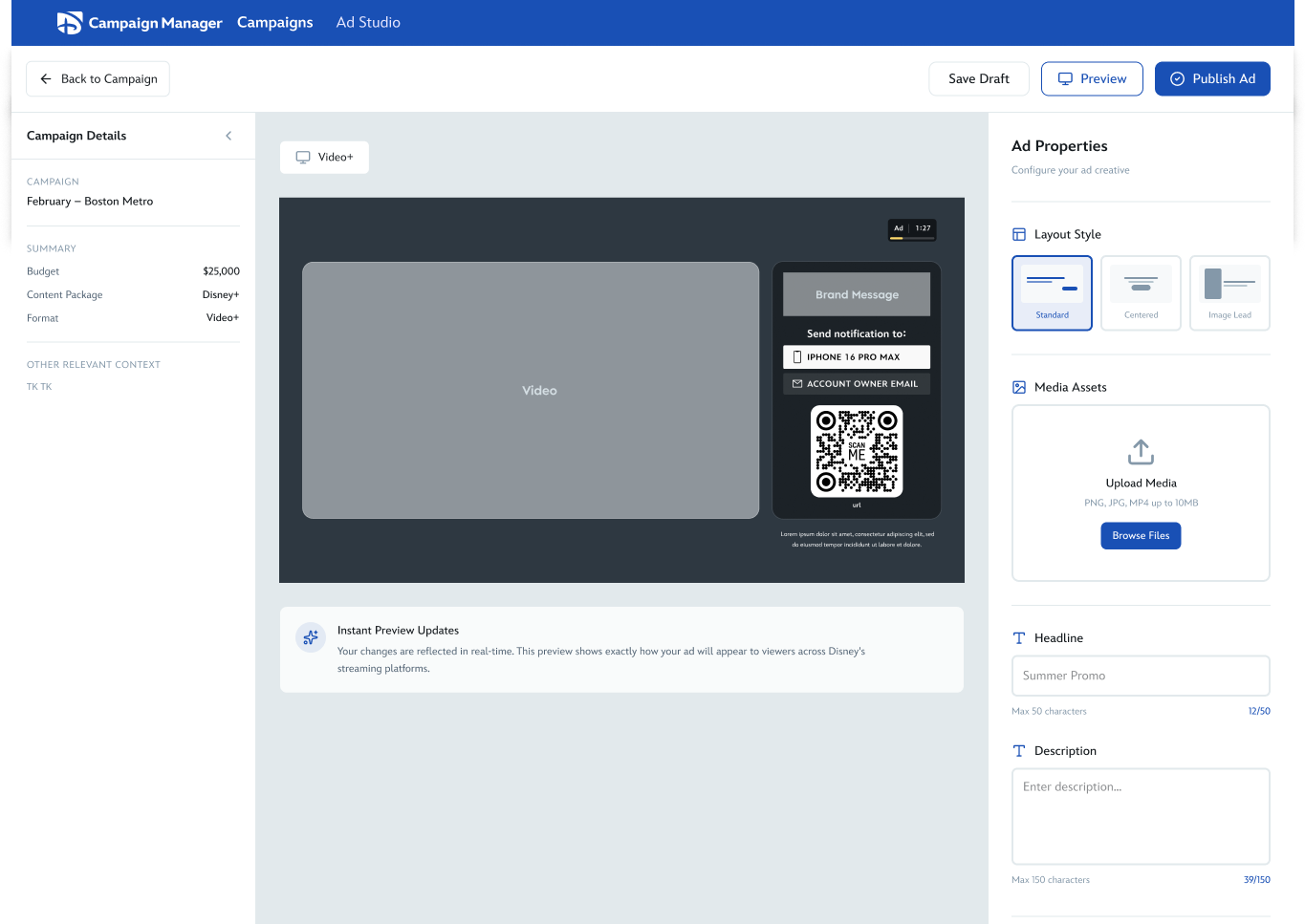
Model 01
A separate full-page creation experience where advertisers would leave the campaign workflow entirely to configure and build ads.
Strengths
Tradeoffs
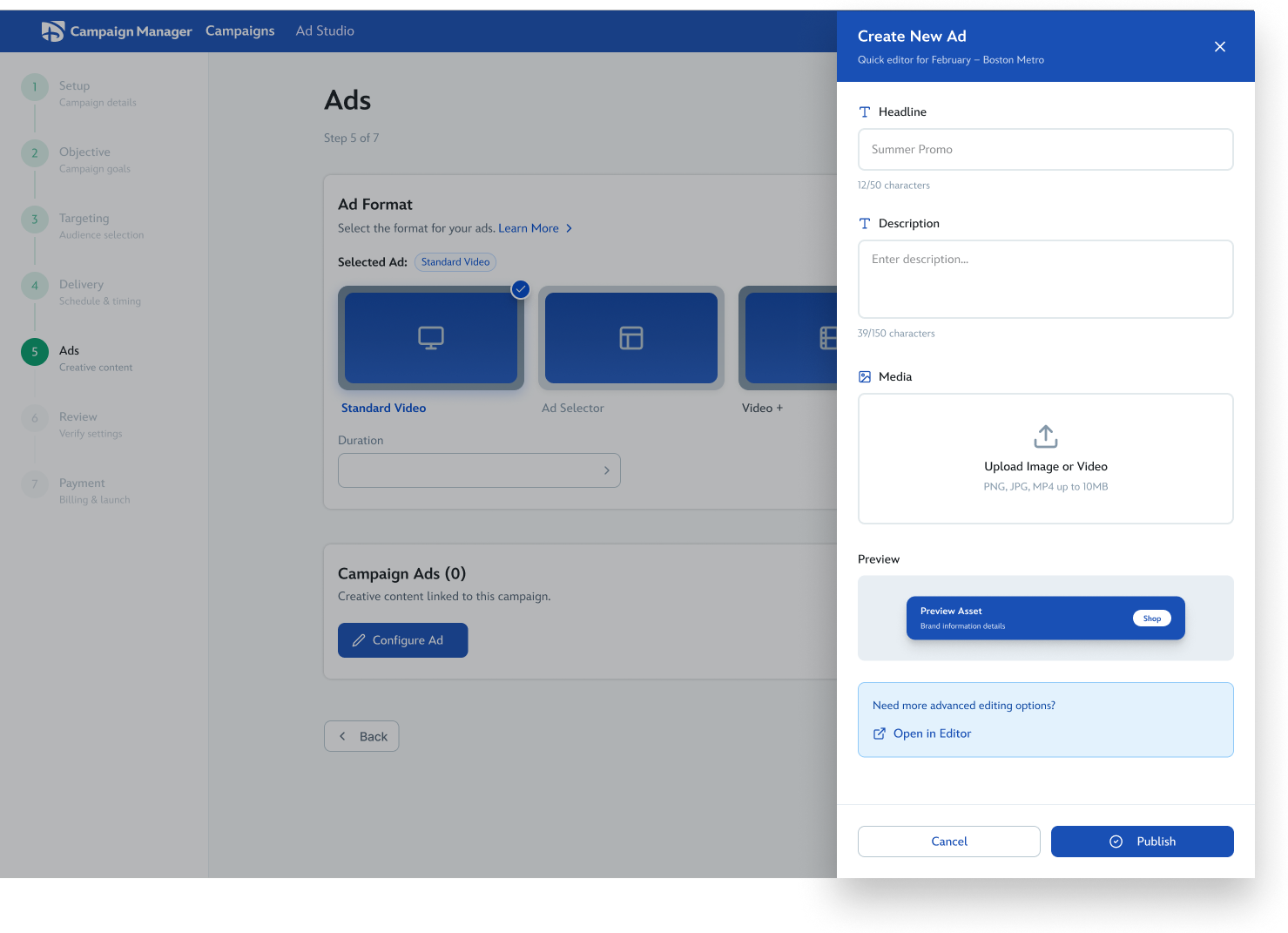
Model 02
A contextual side-panel experience layered on top of the campaign workflow.
Strengths
Tradeoffs
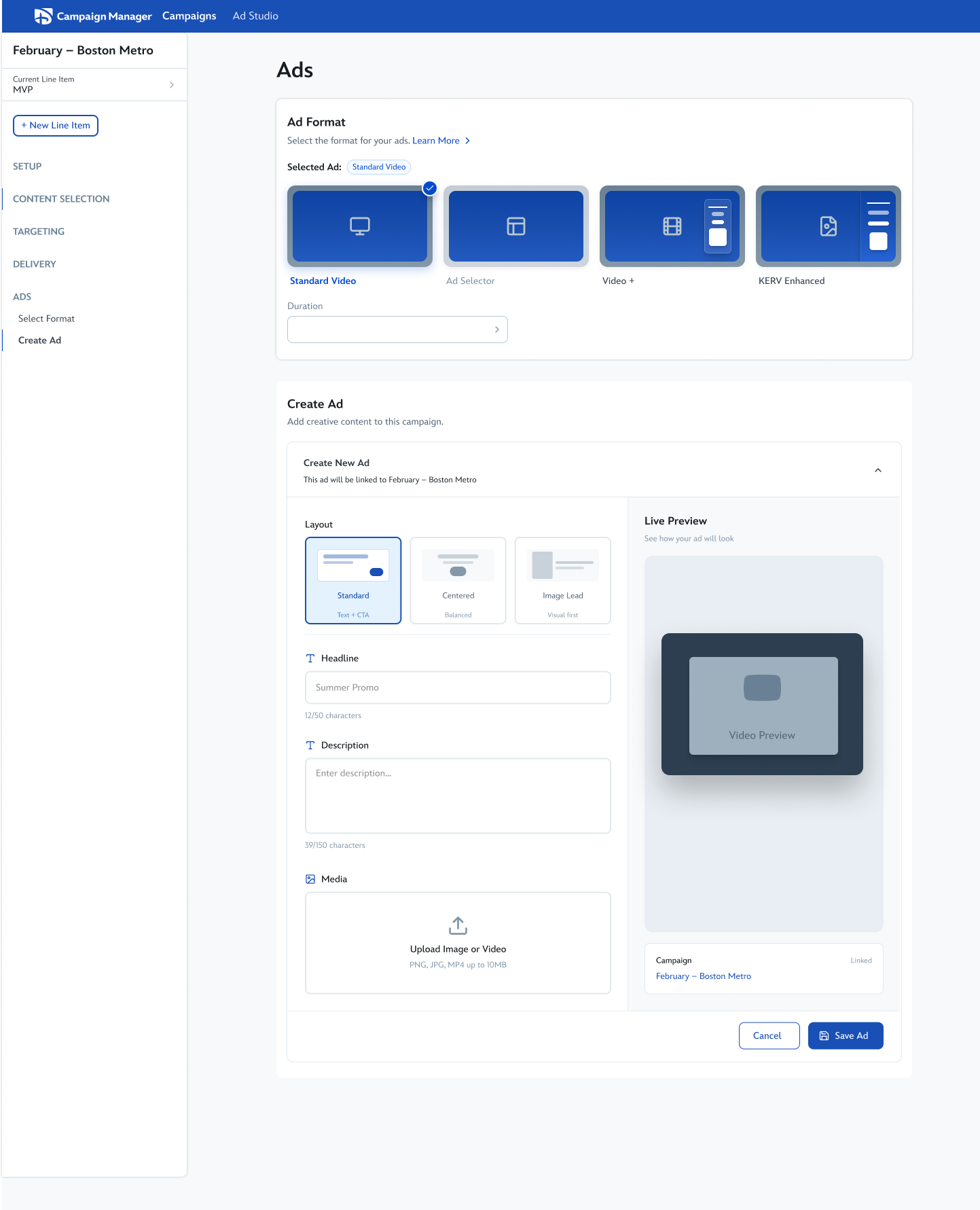
Model 03
Embedding ad creation directly into the campaign workflow itself so advertisers could configure ads without leaving the page.
Strengths
Tradeoffs
While each model solved different problems well, the explorations helped clarify that we needed a more scalable creation system, one that preserved workflow continuity without constraining future format growth.
After exploring multiple workflow models, inline creation initially emerged as the strongest direction because it kept advertisers inside the campaign workflow instead of separating ad creation into a different surface. The approach reduced context switching, preserved workflow momentum, and made ad creation feel more integrated into campaign setup.
As the inline model evolved, I began exploring how format discovery, previewing, and switching could happen directly inside the creation flow itself. The goal was to make premium formats feel more discoverable while allowing advertisers to compare formats and preview assets without leaving the workflow.
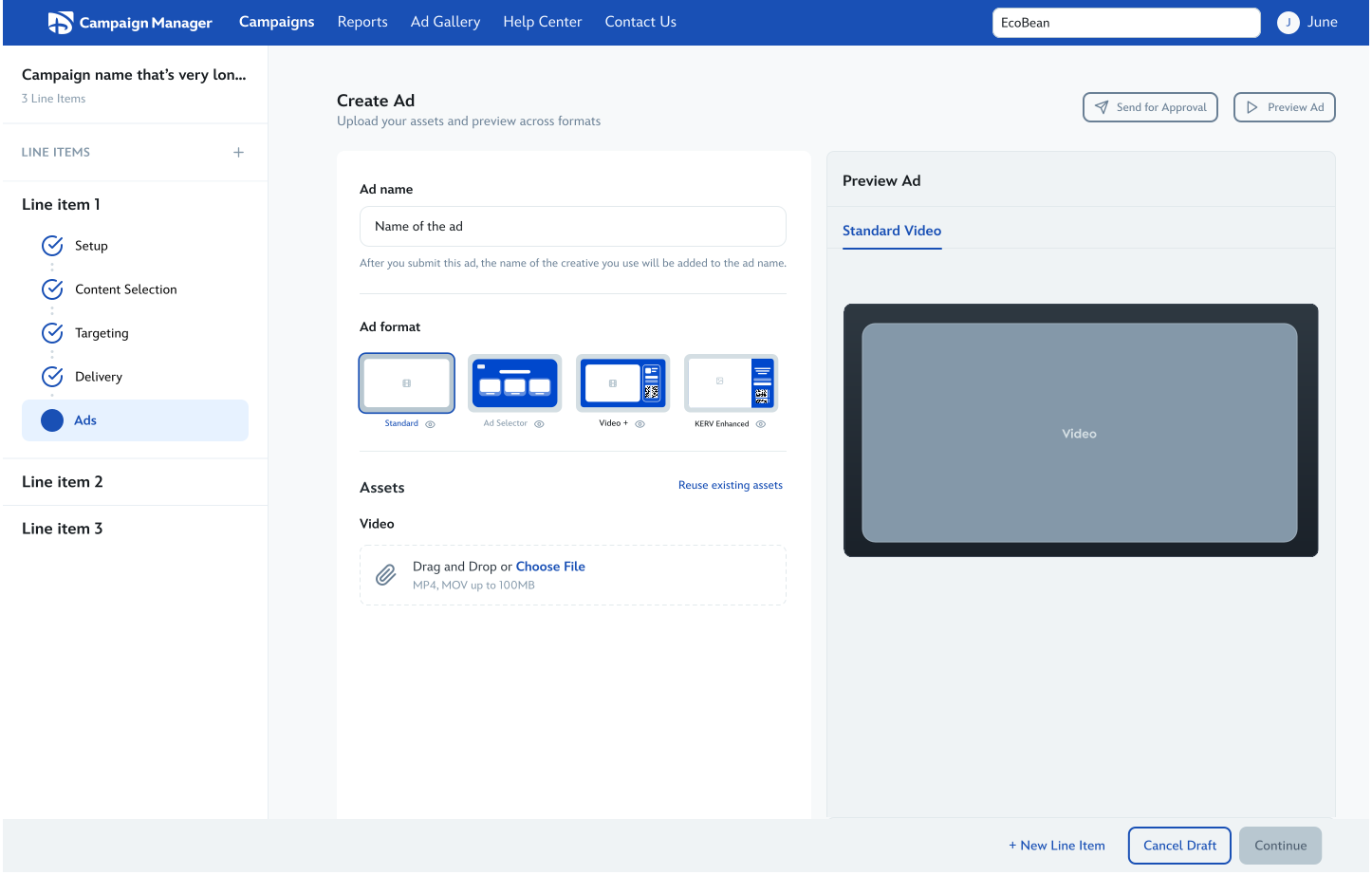
Starting from assets before format selection
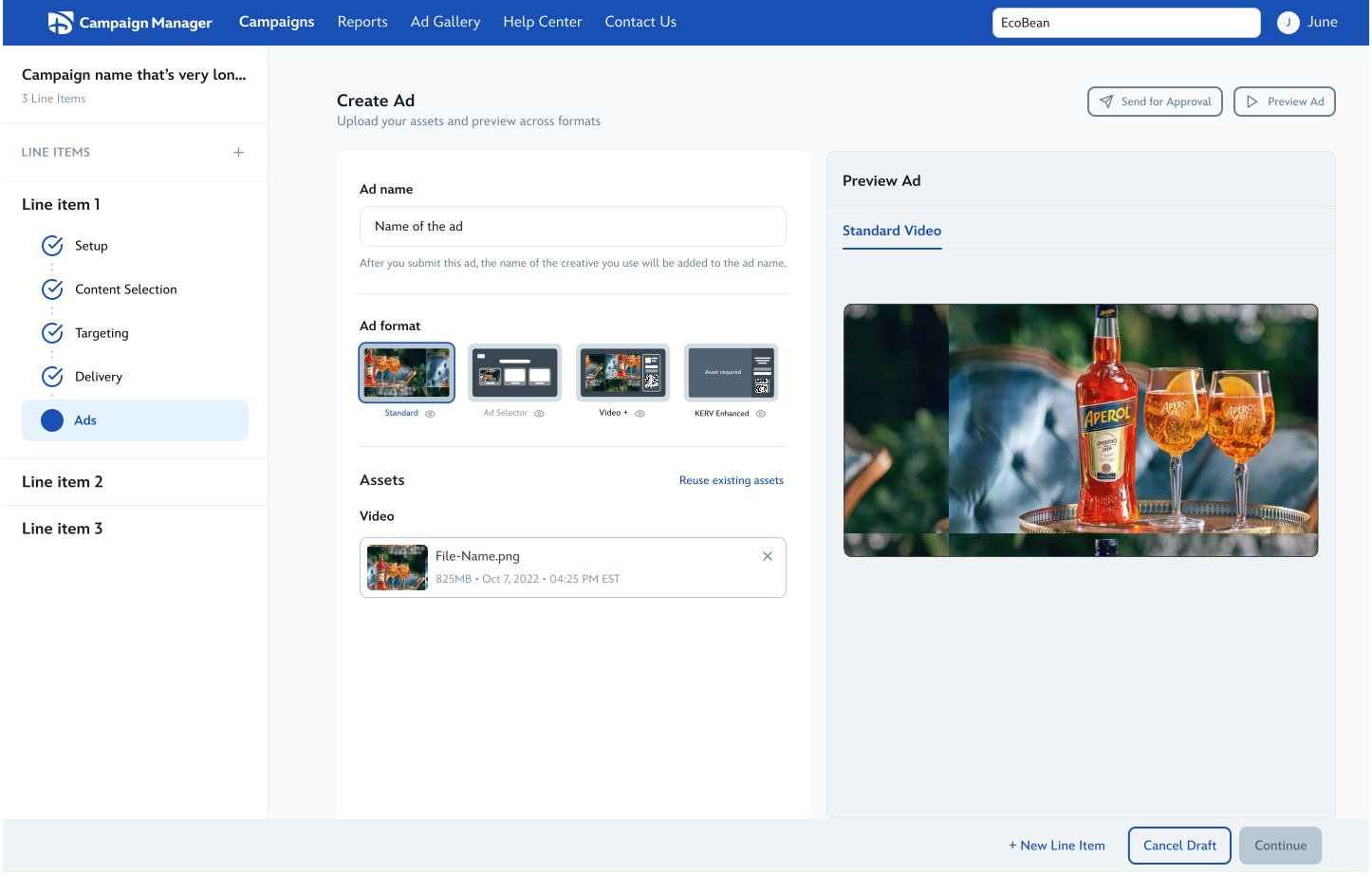
Comparing how assets adapt across formats
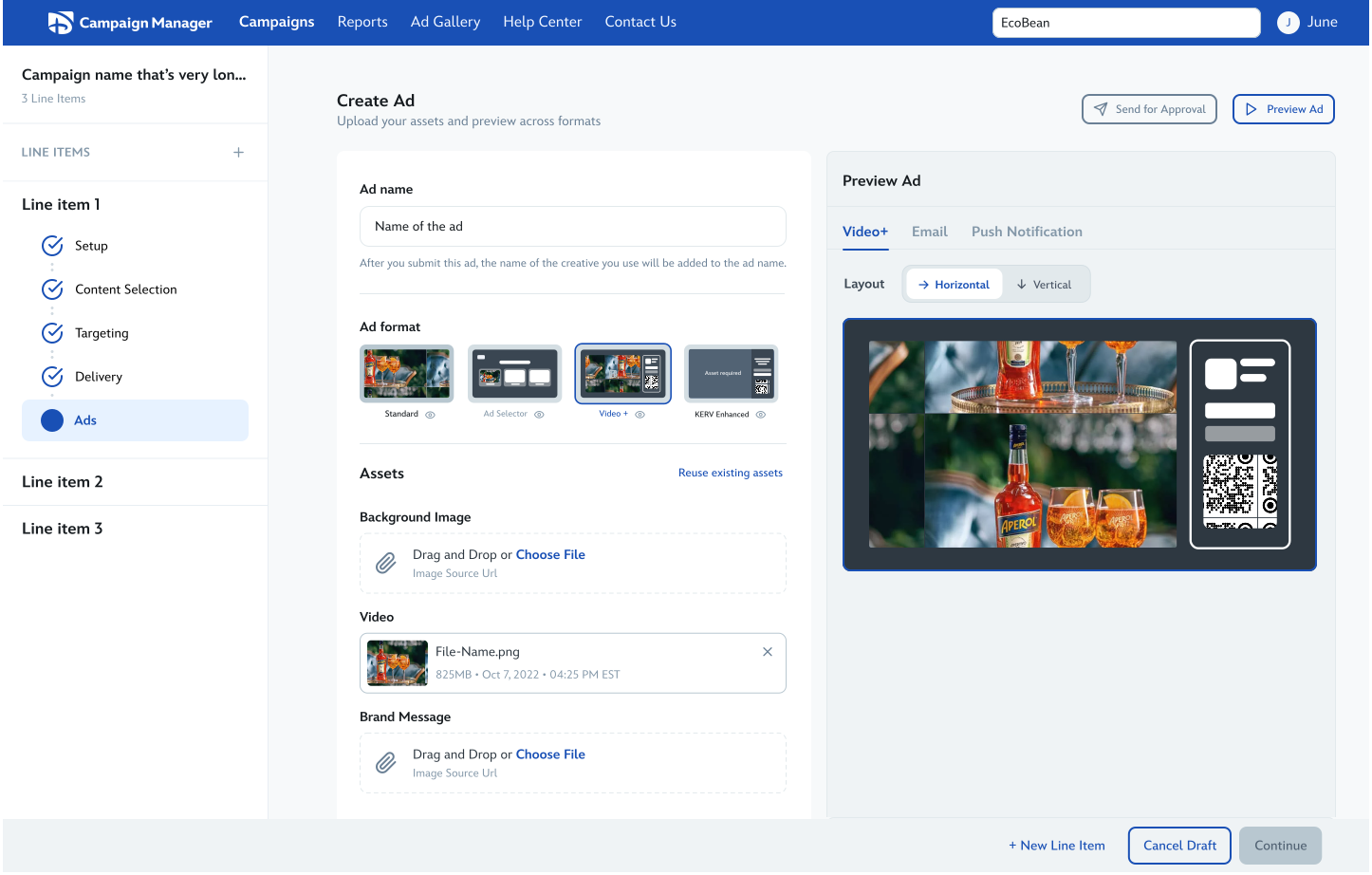
Previewing assets in Video+
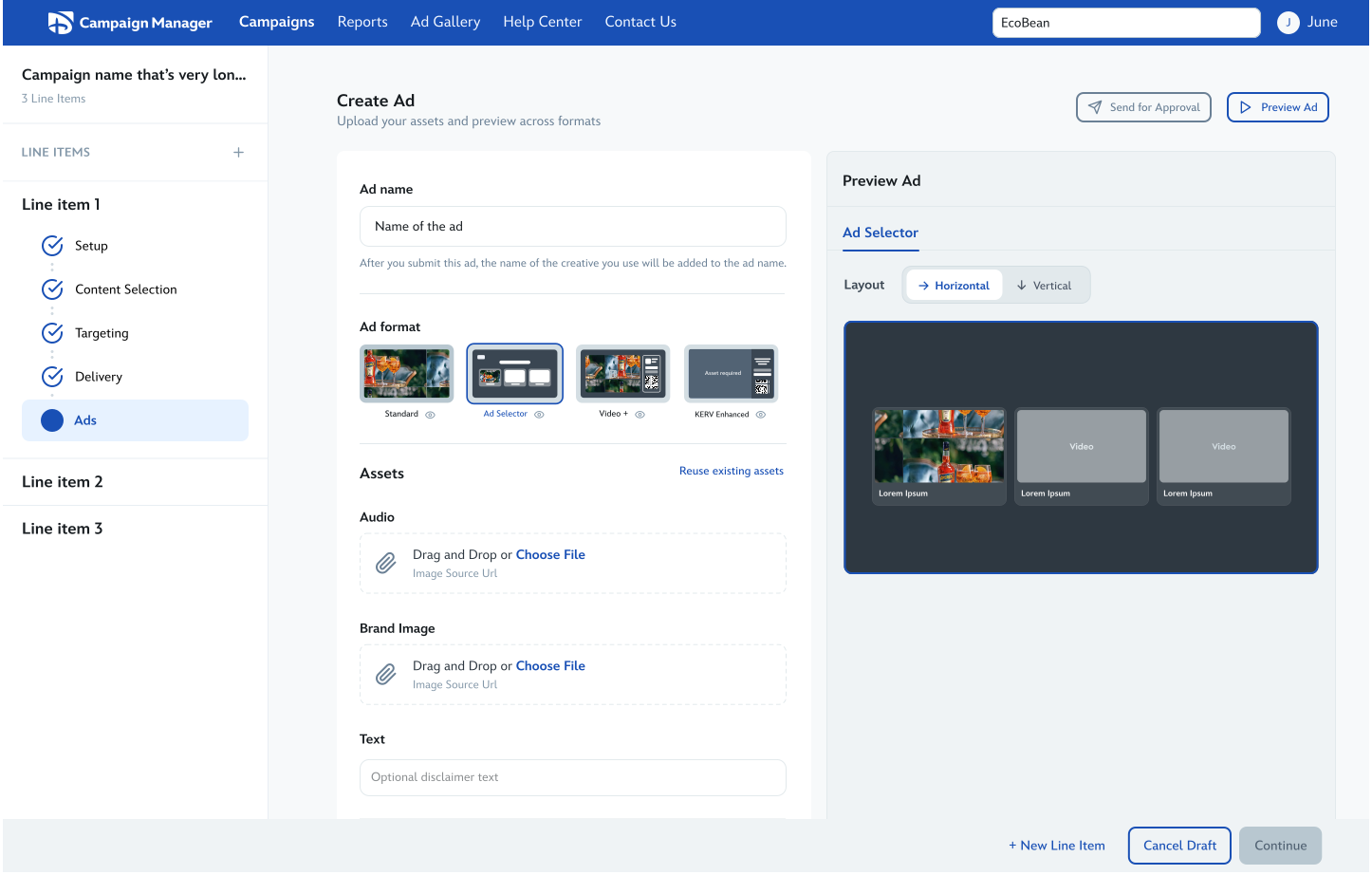
Previewing assets in Ad Selector
While these explorations strengthened workflow continuity, they also exposed structural limitations as premium formats became more advanced.
The campaign workflow already contained critical business components, including the inventory meter. As inline creation expanded, the experience became increasingly constrained.
As premium formats evolved, the inline model became harder to scale. More advanced creation requirements risked overcrowding the workflow and limiting flexibility for future capabilities.
We realized format selection was doing more than helping users choose a format. It also needed to support education, eligibility guidance, and discovery. Combining education and creation into the same surface introduced unnecessary cognitive load.
While inline creation preserved workflow continuity well, the explorations revealed the need for a more flexible and scalable creation architecture that could support both growing format complexity and dedicated format discovery experiences.
After exploring how format selection and ad creation could coexist within the same inline workflow, I began exploring the format selection experience more deeply. The challenge became designing a system that could support guidance, discovery, eligibility communication, and fast decision-making without overwhelming advertisers during setup.
Objectives
I explored multiple approaches for balancing quick format selection with richer educational support. The explorations tested different ways of helping advertisers compare formats, understand eligibility requirements, and discover premium experiences without slowing down the workflow.
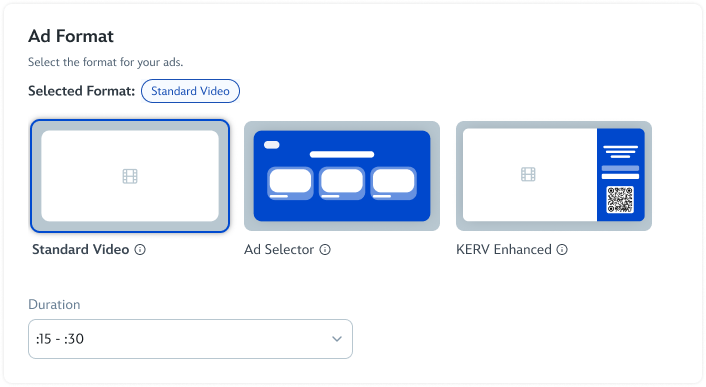
01 · Lightweight visual card selection
Focused on helping repeat advertisers scan and compare formats quickly with minimal friction.
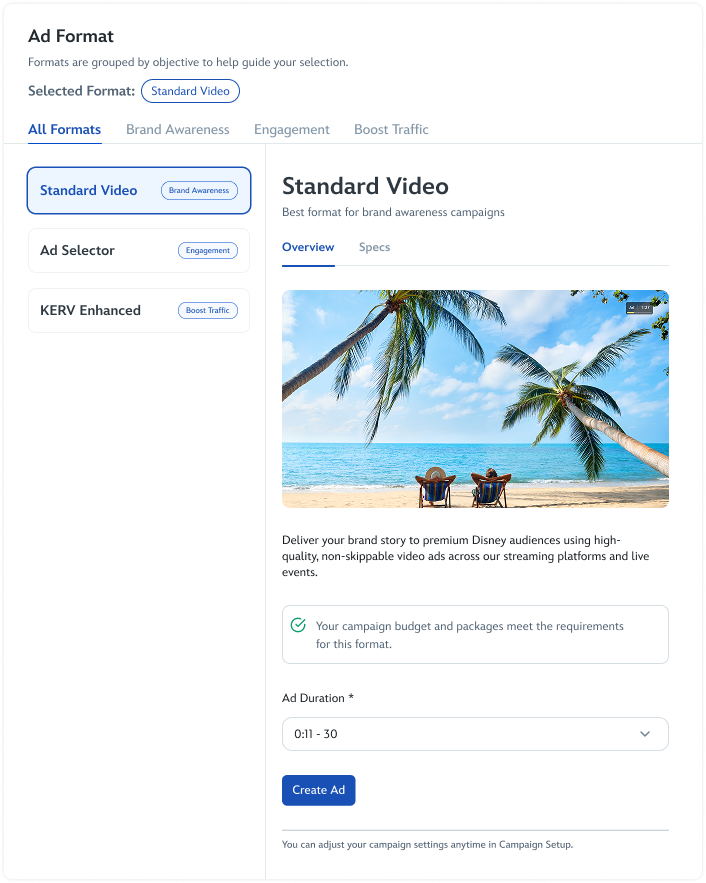
02 · Rich split-view educational model
Explored deeper educational support and contextual previews for more advanced premium formats.
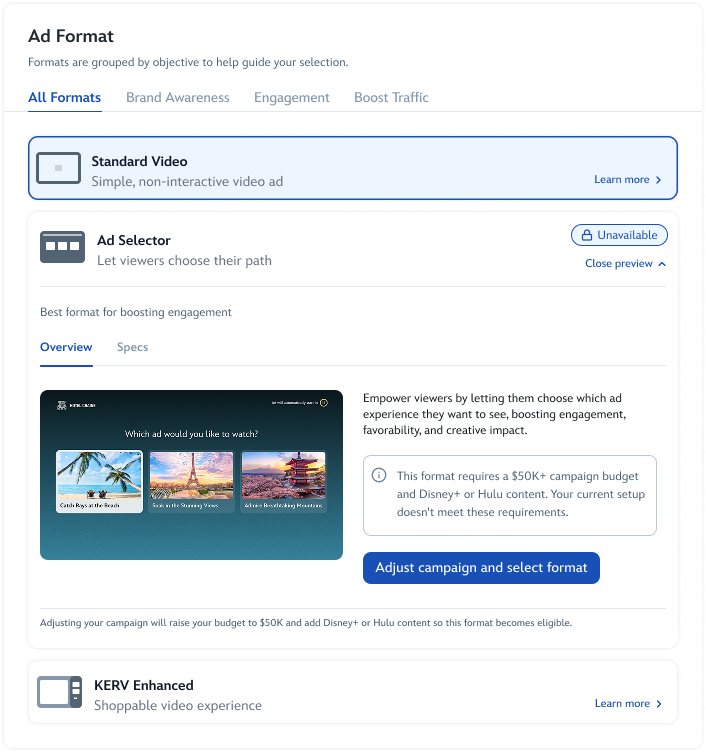
03 · Inline eligibility + preview states
Tested whether eligibility guidance and richer previews could live directly within the workflow itself.
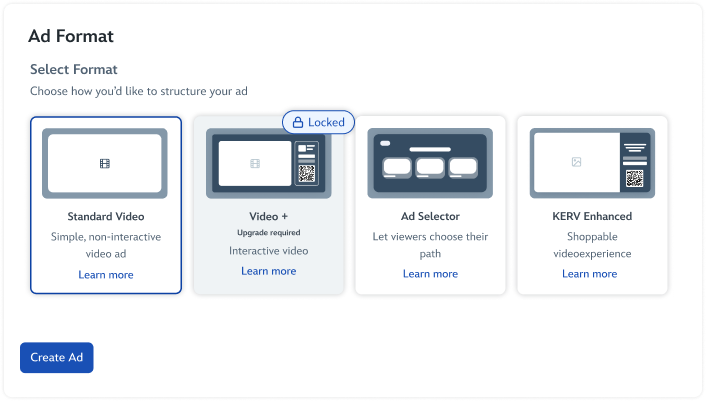
04 · Guided locked/ineligible states
Explored how advertisers could discover unavailable premium formats while still understanding eligibility limitations and next steps.
These explorations revealed a core tension: the more educational and supportive the experience became, the heavier and slower format selection started to feel.
Since we did not have direct advertiser access at this stage, we reviewed the explorations with Customer Success Managers (CSMs) to better understand how advertisers might navigate the experience.
One consistent insight emerged: the visual format cards helped users quickly understand differences between formats at a glance. CSMs responded positively to the immediate visual comparison, but still wanted richer educational support available when needed.
Progressive disclosure
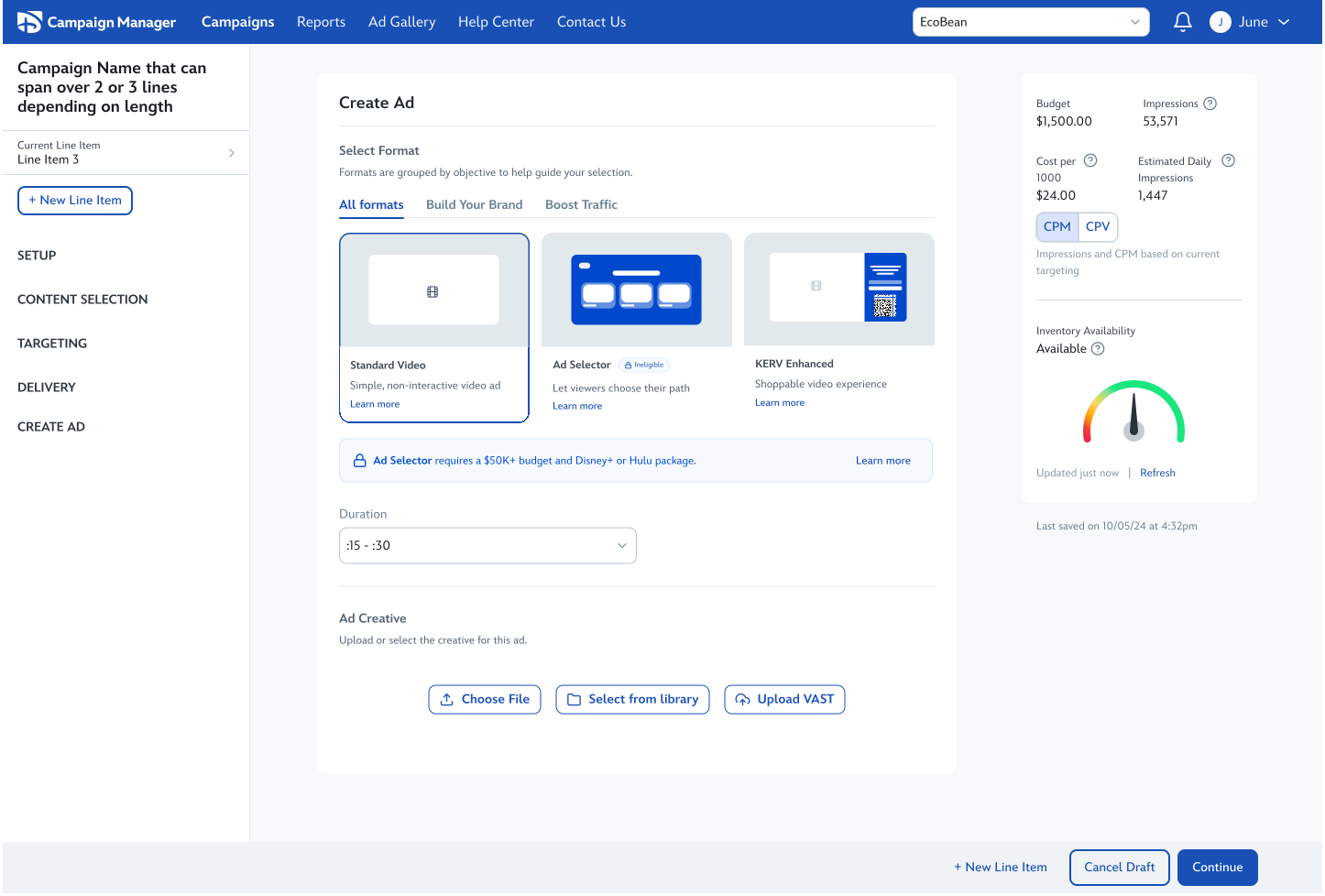
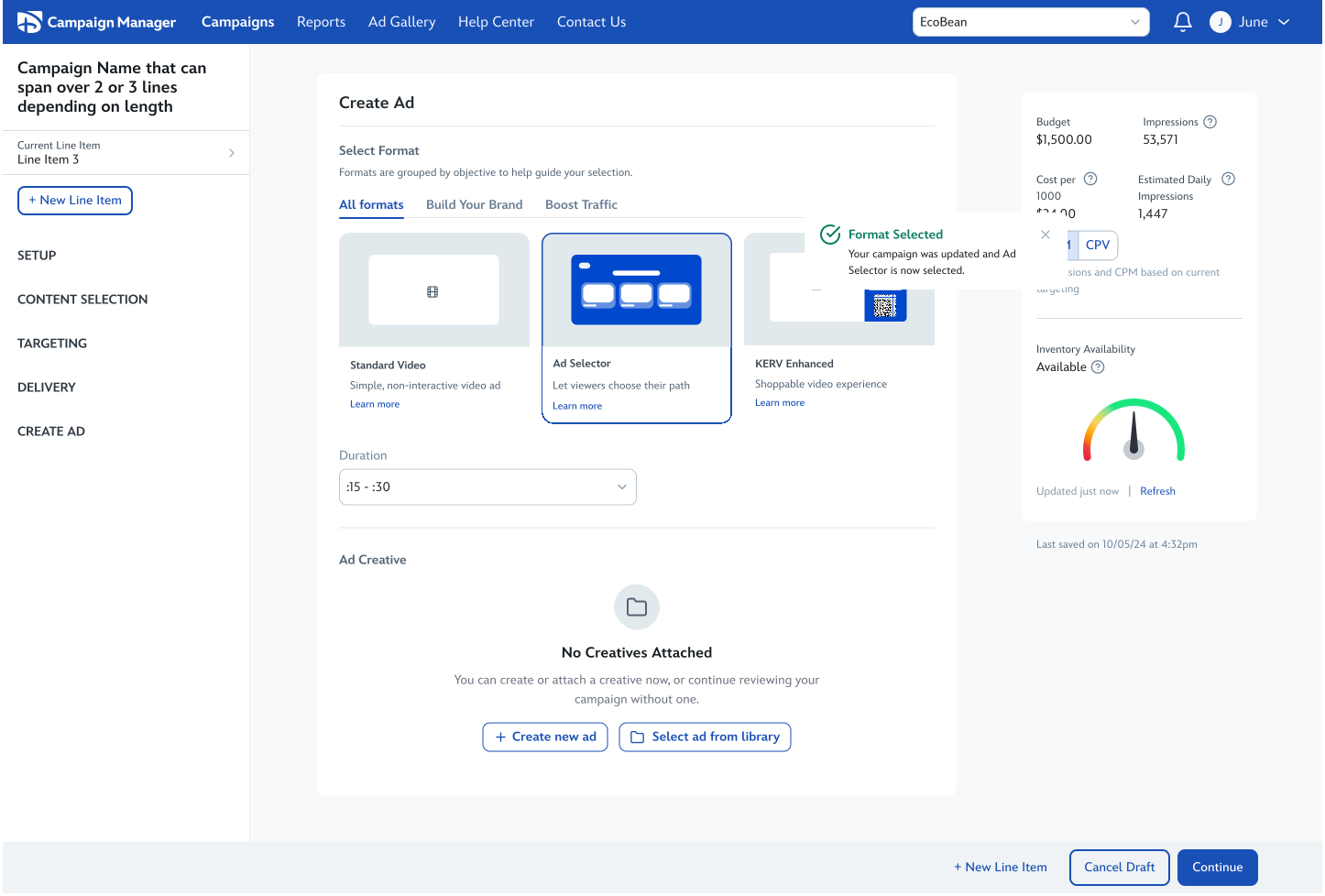
The final direction separated quick scanning from deeper education through progressive disclosure. The primary experience prioritized fast comparison and lightweight selection, while "Learn more" opened a richer educational experience with expanded previews, eligibility guidance, examples, and format-specific details.
We also wanted users to explore unavailable formats without confusing availability and selection. Locked and unavailable states allowed advertisers to understand premium offerings while clearly communicating eligibility requirements and next steps.
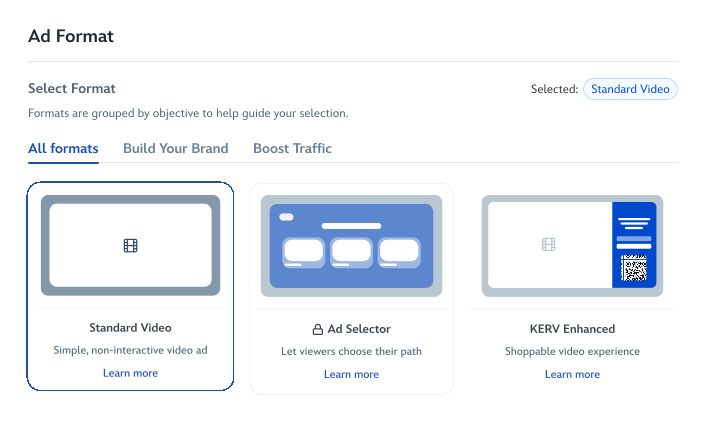
The final designs focused on keeping advertisers inside the campaign workflow while supporting more advanced premium ad creation experiences as format complexity evolved over time.
The prototypes below include motion studies and interactive annotations showing how the workflow supported format discovery, eligibility guidance, modular ad creation, and reusable creative assets throughout the experience.
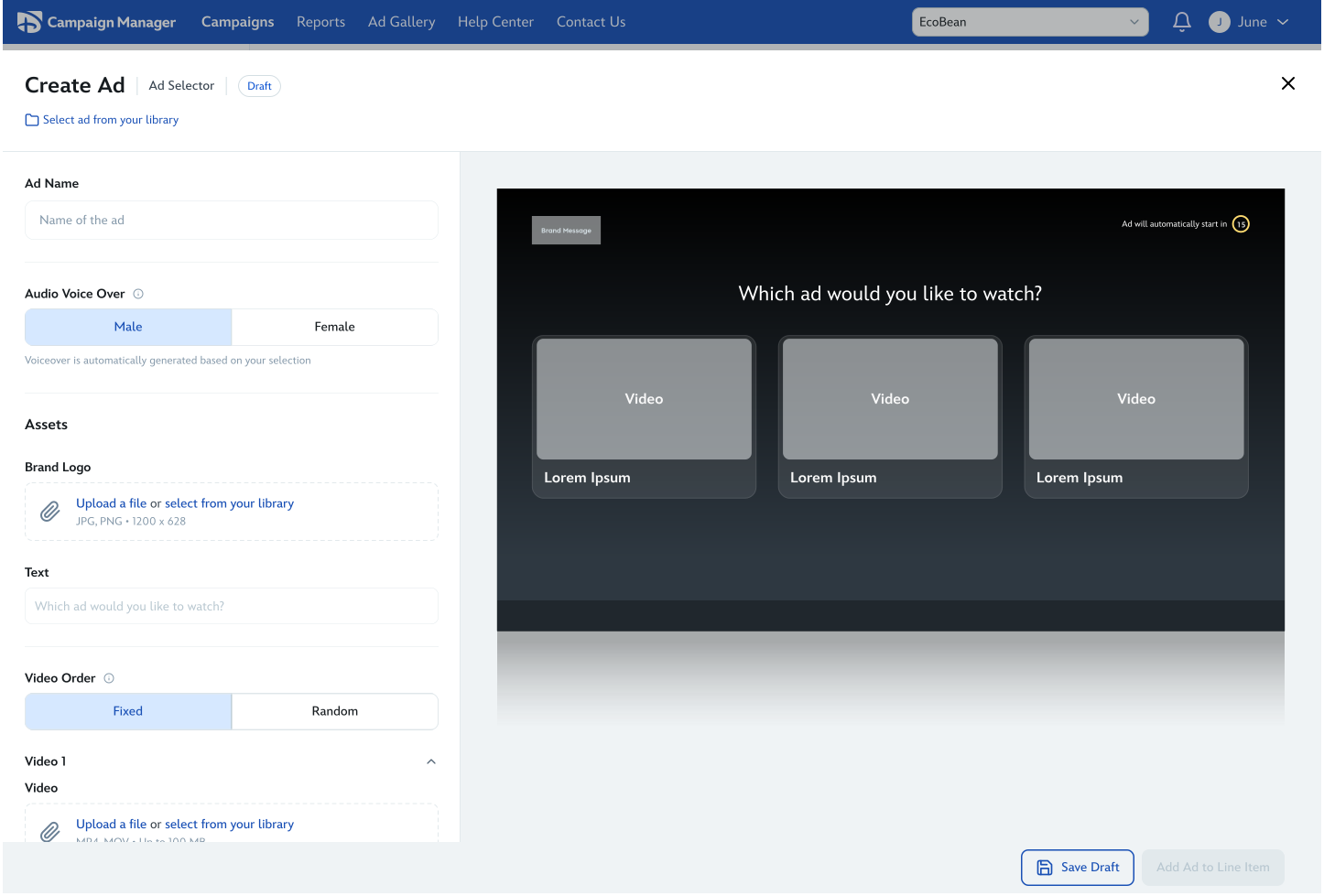
This screen helps explain why the earlier inline model started breaking down: once you see this level of complexity, it is immediately clear why a dedicated composer was necessary.
While the full self-serve experience was still in development and scheduled to launch in June, early adoption data from KERV, a managed-service premium format already launched within DCM, helped validate advertiser demand for advanced interactive ad experiences.
The KERV launch demonstrated strong advertiser adoption and revenue potential, but also highlighted operational limitations tied to manual execution and creative support.
These insights reinforced the need for scalable self-serve infrastructure embedded directly within the campaign workflow.