Context
The Ad Gallery inside Disney Campaign Manager had been a quiet utility, a place to store assets and upload an occasional single video ad, not a surface built for serious creative work or the product's next chapter: AI-assisted ad generation.
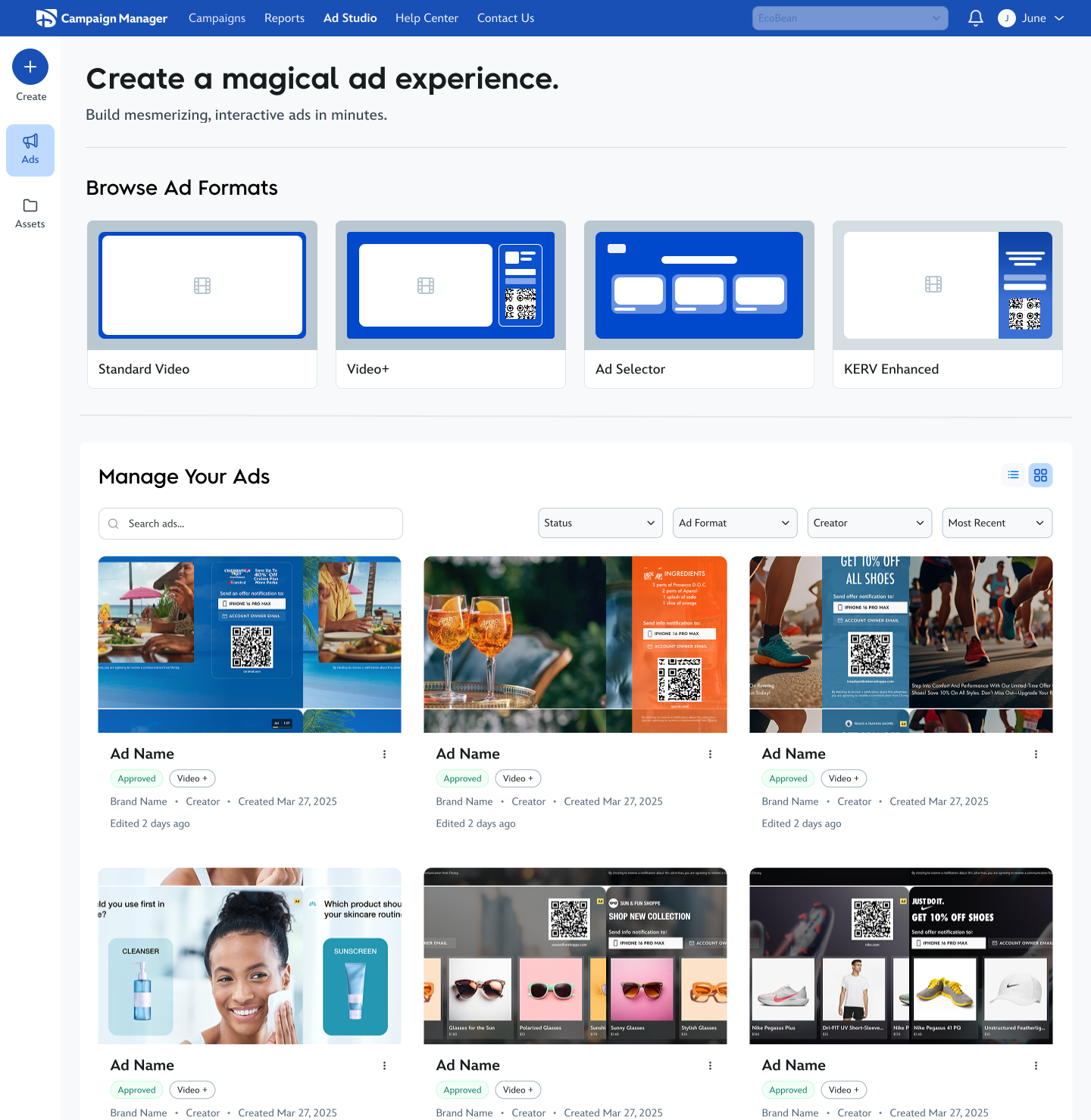


Disney Campaign Manager · Product design · Sept 2025 – present
Enable advertisers to create ads and assets, manage their creatives, and discover advanced ad formats, all from one place, while designing an information architecture that can absorb AI generation when it arrives.
The Ad Gallery inside Disney Campaign Manager had been a quiet utility, a place to store assets and upload an occasional single video ad, not a surface built for serious creative work or the product's next chapter: AI-assisted ad generation.
Anything beyond a basic upload pushed advertisers into the full campaign creation workflow, even when they only wanted to build an ad and were not ready for line items, flights, or budgets.
Reframe the gallery as the Ad Studio: a creation-first workspace for formats, ads, and assets, so advertisers can work on creatives without launching a campaign first.
Four phases, each one tightened the next.
Audited the existing Ad Gallery to understand why it wasn't serving ad creation. Mapped the actions advertisers actually needed to take.
Reframed the surface through information architecture, both navigation and content organization. Defined the core distinction between ads and assets.
Explored three IA directions for the studio itself, then a second wave of explorations for how AI generation could live inside it, three discovery models and three creation surfaces.
Landed on a creation-driven IA for the Ad Studio and a hybrid draft generator for AI. Shipped annotated designs and a framework for unified AI creation.
Before redesigning anything, I needed to be specific about why the Ad Gallery couldn't carry ad creation. Four problems stood out.
The throughline: the gallery was being asked to do a job it was never designed for. Advertisers wanted an ad creation playground, and what they had was a closet.
To turn the gallery into a studio, I started with information architecture, looking at it from two angles.
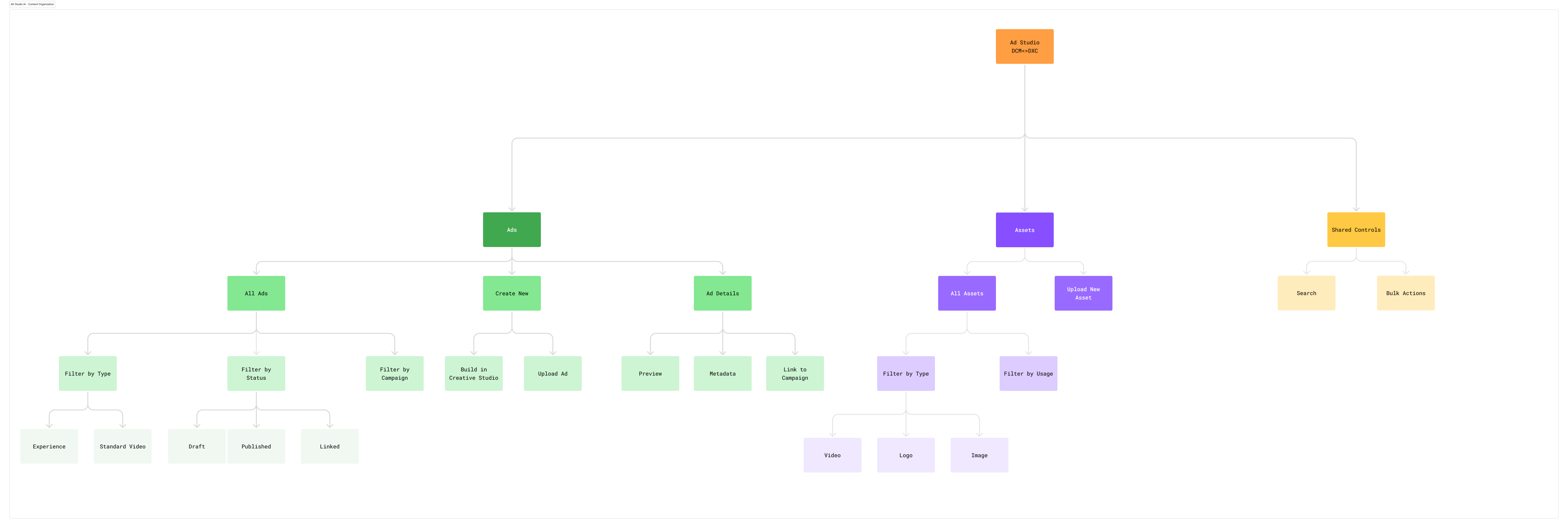
How might we make it easy to access and reuse existing creatives? How might we make it easy to move between campaigns and creatives, and to link creatives to existing campaigns?
How might we make it easy to manage assets and retrieve information quickly? How might we organize the page hierarchy to support the key workflows, creating, managing, and browsing ads and assets?
Working through the IA surfaced four principles. Every exploration was measured against them.
Instead of building a standalone creation flow for the Ad Studio, ad creation should be a reusable module. Advertisers get a consistent experience whether they enter from a campaign or from the studio, and we maintain one system instead of two.
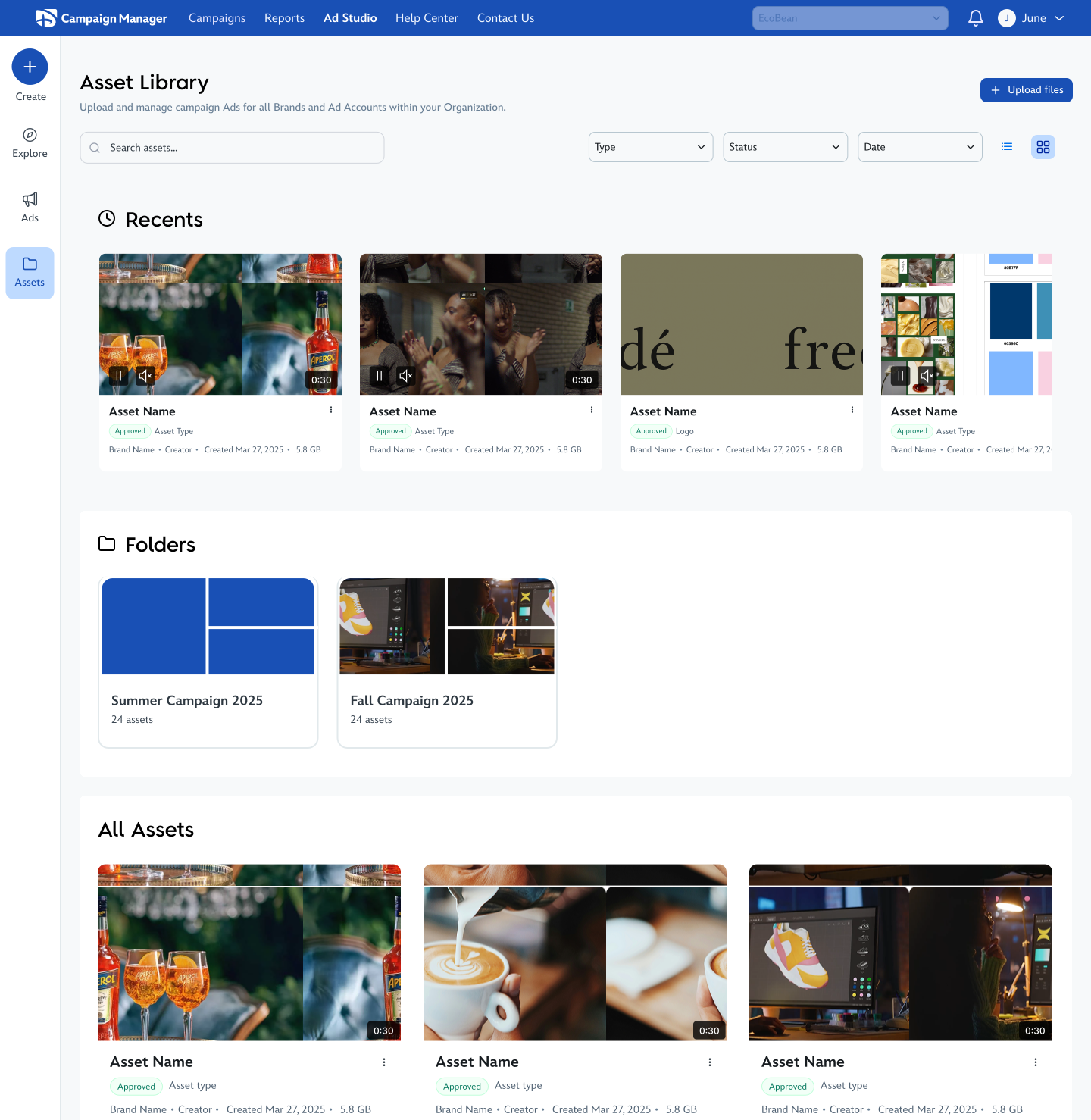
Advertisers needed an unambiguous mental model: assets are standalone creatives that power ads; ads are the finished, deployable units. Separating them clearly, and making it easy to move between them, became a foundational requirement.
Creation shouldn't be gated to one entry point. Whether an advertiser is looking at their assets or their ads, starting a new ad should be one action away.
We knew AI generation was coming. Rather than retrofit it later, I wanted the IA to anticipate it, so the structure could absorb AI without being rebuilt.
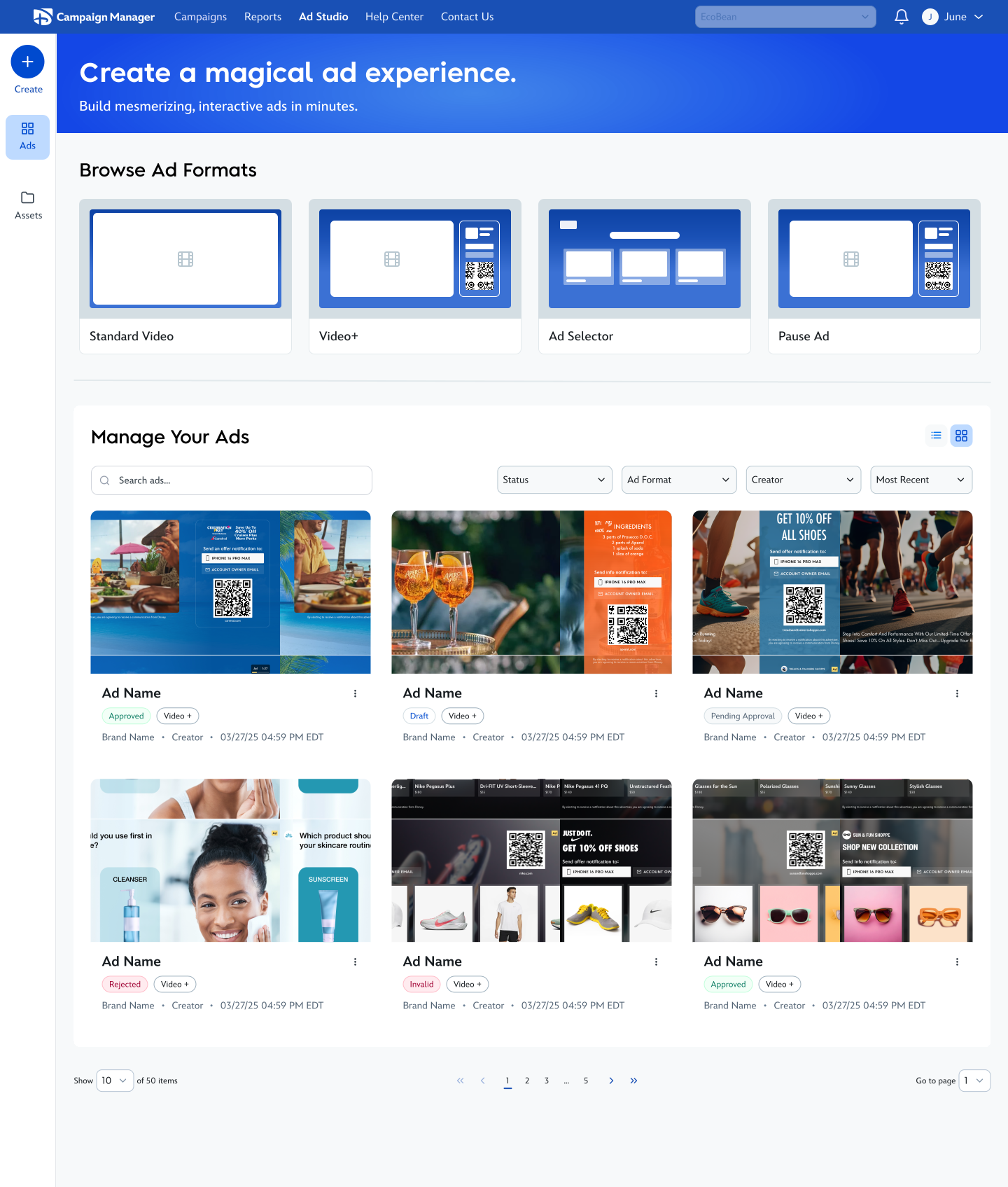
With those principles set, I explored three IA directions for the Ad Studio. Each optimized for a different idea of what the studio fundamentally is, a library, a launchpad, or a set of quick entry points. The challenge wasn’t just layout; it was balancing retrieval, creation speed, and how much density advertisers could carry before the surface stopped feeling like a workspace.
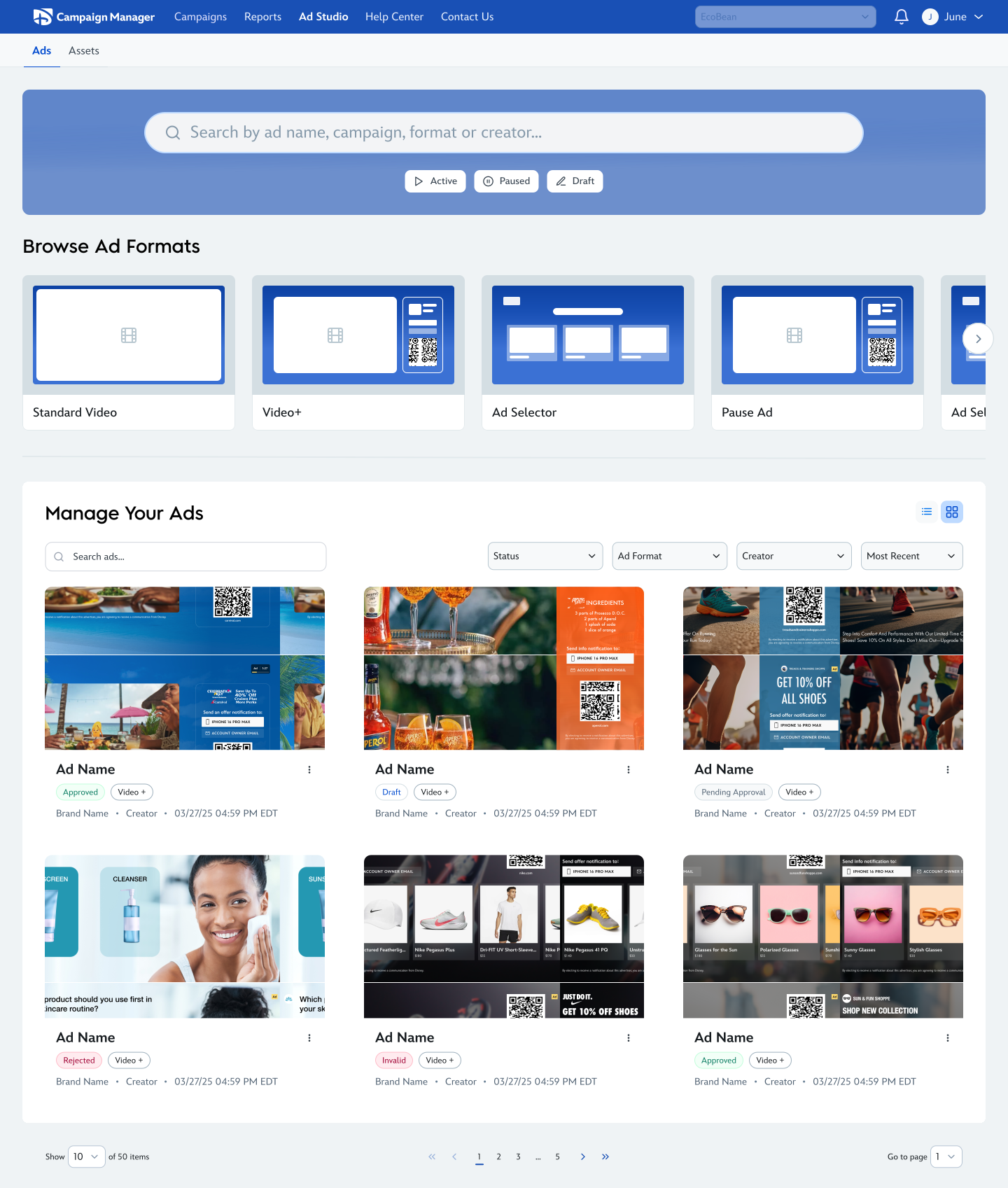
Exploration 01
The studio as a powerful library, retrieval and filtering are the hero; creation is one path among many.
Strengths
Tradeoffs
Exploration 02
The studio as a launchpad, format templates and Create stay visible so advertisers can start from wherever they land, whether on Ads or Assets.
Strengths
Tradeoffs
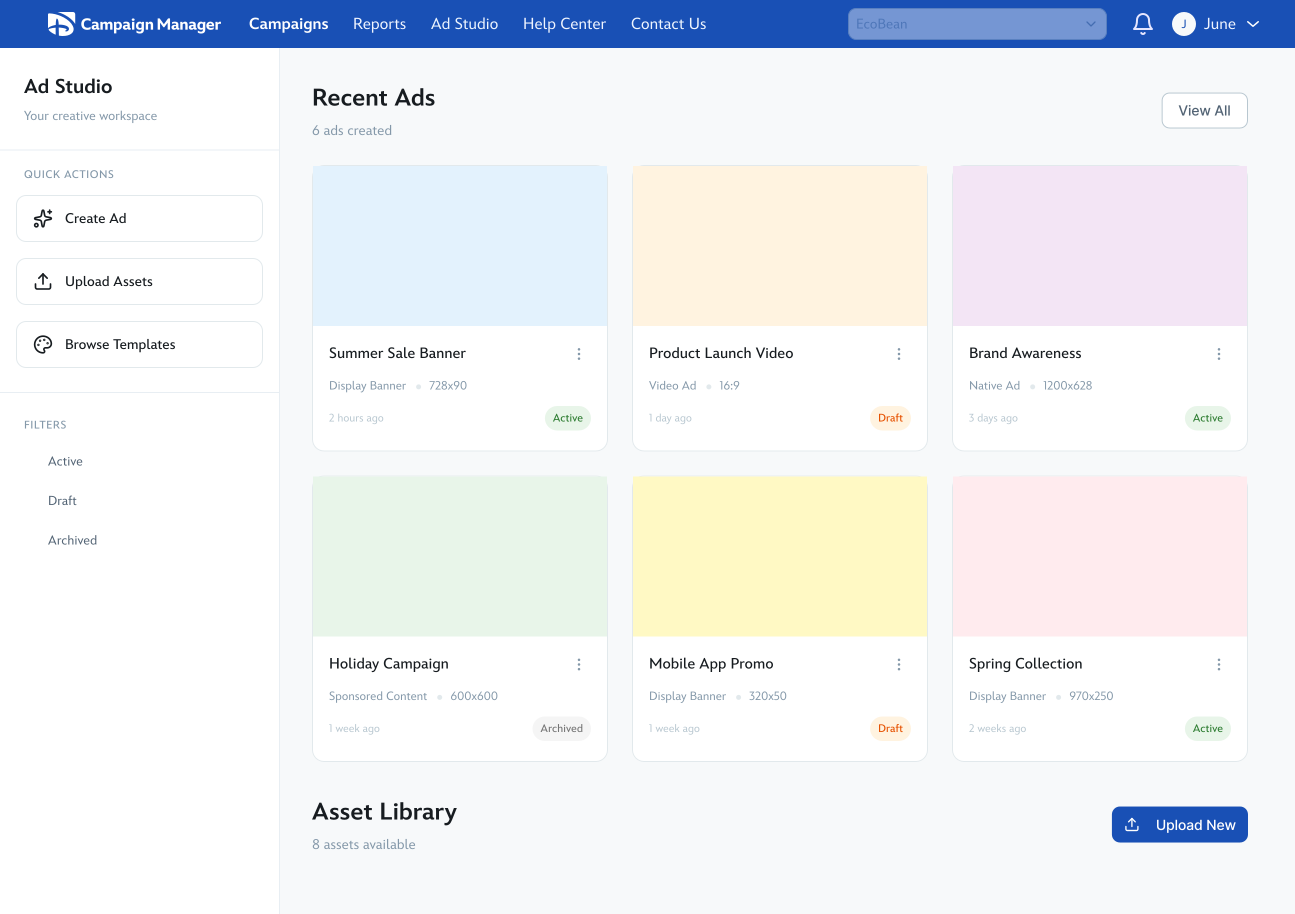
Exploration 03
The studio as a set of quick workflow entry points, create ad, upload asset, and browse templates sit forward in a denser, table-forward layout.
Strengths
Tradeoffs
Each direction solved a different slice of the problem well. Together, the explorations made it clear the studio needed to feel creation-first without giving up management, which set up the creation-driven direction in the next section.
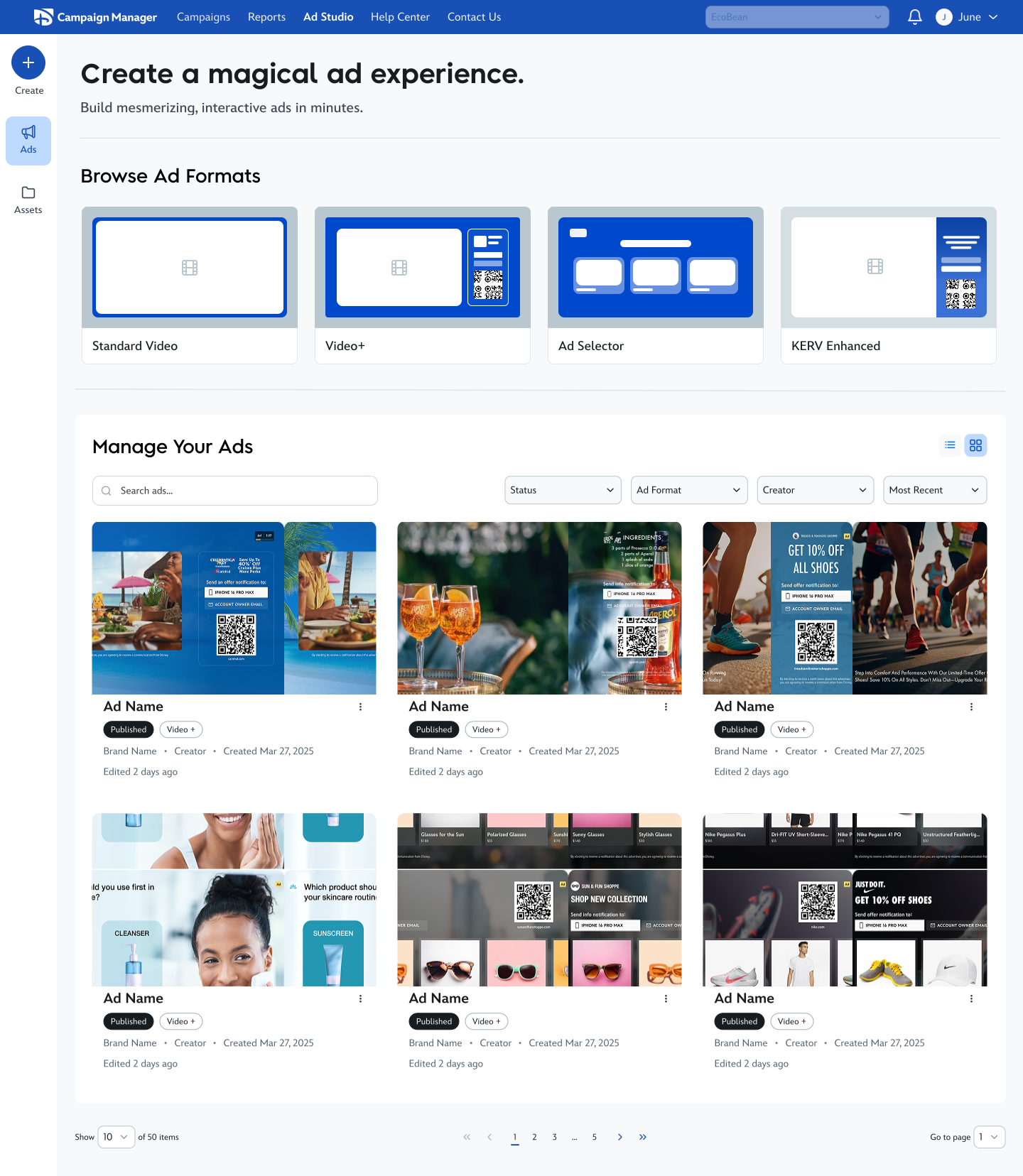
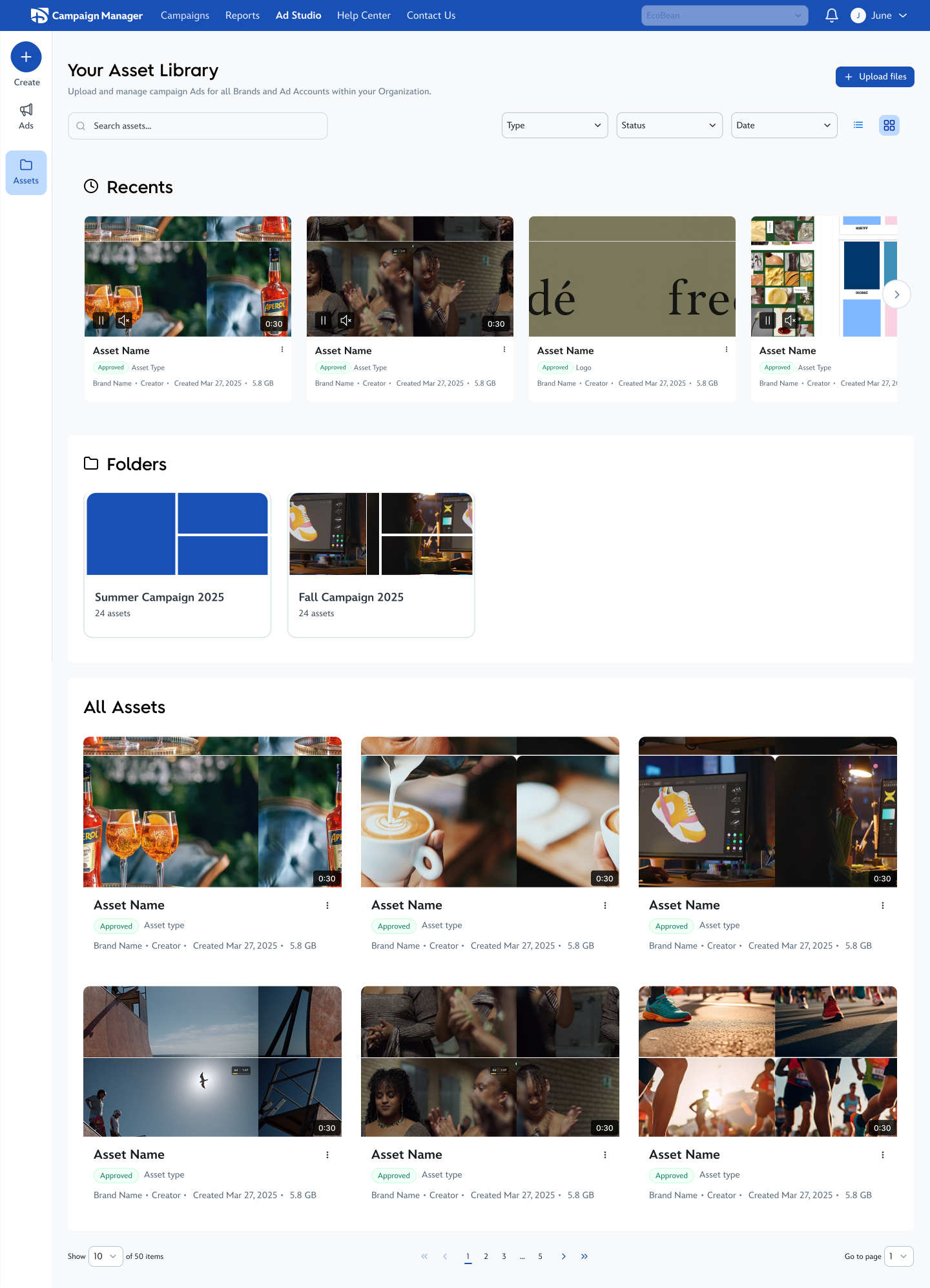
I went with the creation-driven IA. It gave advertisers the fastest path into ad creation while still making ads and assets easy to manage, the best balance of the four principles.
The recording below shows an advertiser browsing the Ad Studio, discovering advanced ad formats, learning more about what each format offers, and starting ad creation from that path. The screens that follow are the final creation-driven workspace (with interactive annotations) and the dedicated Assets view opened from the left rail.
Because the Ad Studio is where advertisers prepare creative before they think about line items and campaigns, it was the natural place to introduce AI-assisted generation.
I built a Jobs-to-be-Done framework to understand how AI generation would change both the Ad Studio and the act of creating an ad from it.
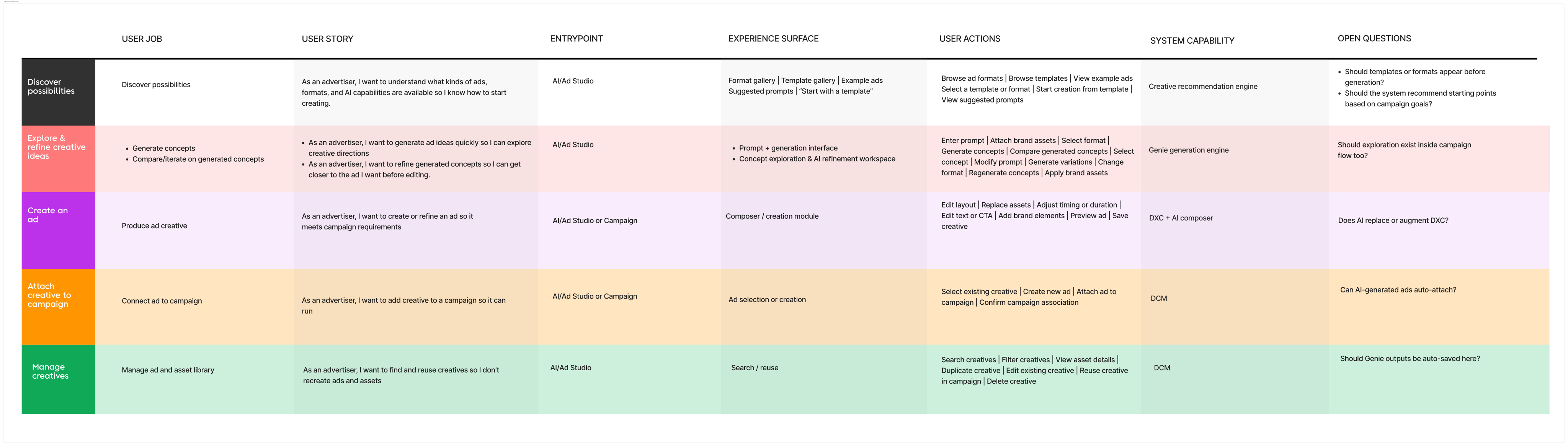
Two things became clear from the framework:
I sketched three concepts for what a discovery layer could look like, how an advertiser first encounters AI generation inside the studio. Each option tested a different bet: lead with the prompt, treat every entry as a peer, or let people move between AI-first and format-first without committing upfront.

Discovery 01
The advertiser enters a prompt, generates ideas, then steps into the ad creation surface to refine with precision, with recent work and AI-generated starting points visible alongside the prompt.
Strengths
Tradeoffs

Discovery 02
Generate with AI, create from a format, or upload a VAST tag, all three sit at the top with equal weight, so no single path is visually dominant.
Strengths
Tradeoffs

Discovery 03
Advertisers switch between AI-prompt-driven discovery and format-driven creation, with state that persists so they aren’t resetting the room every time they come back.
Strengths
Tradeoffs
Together, the three directions clarified the tension between making AI discoverable and not hijacking every advertiser’s intent, which informed how much prominence AI should get next to formats, uploads, and existing creation paths.
Alongside the discovery layer, I explored three models for the creation surface itself, how AI and manual creation actually coexist.

Surface 01
AI generates a draft → edit in the DCM composer.
Strengths
Tradeoffs

Surface 02
Separate AI composer + manual composer.
Strengths
Tradeoffs

Surface 03
One composer with manual + generative tools together.
Strengths
Tradeoffs
The Ad Studio ships in June 2026. The IA established a defined, reusable creation module rather than a parallel experience, and gave the team a shared vocabulary (ads and assets as two clearly-named object types with peer surfaces) that's now used across PM, design, and engineering.
The AI explorations established a framework for how generative tools could live inside the Ad Studio without requiring a full rebuild of the composer. The hybrid model gives the team a near-term path to ship and learn; the unified composer remains the long-term vision the IA is structured to accommodate.
The Ad Studio ships in June 2026. AI generation is still in concept phase.